200,000 Hours of Your Life
Table of Contents
Two hundred thousand hours of your life.
That is roughly how long you are likely to spend sitting by a computer, looking at a screen, if you are the sort of person who started young and then accidentally built a life around it. The arithmetic is not sacred. Start around thirteen, average six to nine hours a day, keep going into old age, and the range gets stupid quickly. A conservative estimate lands somewhere around 150,000 hours. A less conservative one clears 250,000. Two hundred thousand is not a statistic so much as a useful slap in the face.
I started earlier than thirteen, but thirteen is probably when the computer stopped being a toy and started becoming a habitat.
This is the part people tend to skip when they talk about ergonomics. They talk about chairs, monitor height, wrist rests, keyboards, standing desks, footrests, posture, micro-breaks. All useful. All real. But the issue is not necessarily duration by itself. It is strain, repeated often enough that the body starts treating it as the normal operating condition. Twenty years of that, handled badly, can stop being discomfort and start becoming damage.
The bill comes due somewhere
Musculoskeletal problems are not a niche concern. The World Health Organization estimates that roughly 1.71 billion people live with musculoskeletal conditions worldwide, with low back pain as one of the main contributors to disability.1 Computer work is not the whole story there, obviously, but it is a very good way to concentrate the same small stresses into the same pieces of the body, day after day.
The pattern is boring because the body is boring in the same way infrastructure is boring. Necks complain when monitors are wrong. Shoulders complain when arms reach too far. Wrists complain when they are bent sideways or upward for hours. Lower backs complain when a chair, desk, and person enter into a long-term diplomatic incident and nobody negotiates.
Studies on software professionals and computer workers keep finding the same rough map of damage: lower back, neck, shoulders, upper back, wrists and hands. In one recent cross-sectional study, 72% of software professionals reported musculoskeletal symptoms over the previous twelve months, with the lower back and neck leading the list.2 EU-OSHA keeps returning to the same risk pattern behind those numbers: repetitive hand or arm movements, prolonged sitting, tiring or painful positions, and a lack of opportunities to change posture.3
None of this requires a perfect setup. The least sexy ergonomic advice is often the best: move the thing closer, lower the thing, raise the other thing, stop craning your neck, stop reaching for the mouse like it owes you money, stand up before your body has to file a formal complaint.
How I got here
My first real computer room was a storage closet in the family apartment, where I sat on a pinnstol (a Swedish Windsor chair) in front of a hand-me-down Compaq Presario 486. Elegant if you are eating soup. Less compelling as the ergonomic foundation for a life in computing. I was thirteen and in love. The posture was atrocious and stayed that way for years.
I was lucky. Nothing has failed yet and I do not carry chronic pain. But the last year and a half before I moved to Portugal I studied on top of a full-time job, and there were nights where my joints ached, my lumbar spine radiated, my neck and shoulder blades stung, and headaches arrived with the dull inevitability of a bill I had been ignoring. All of it could have been alleviated. Not solved. Just alleviated.
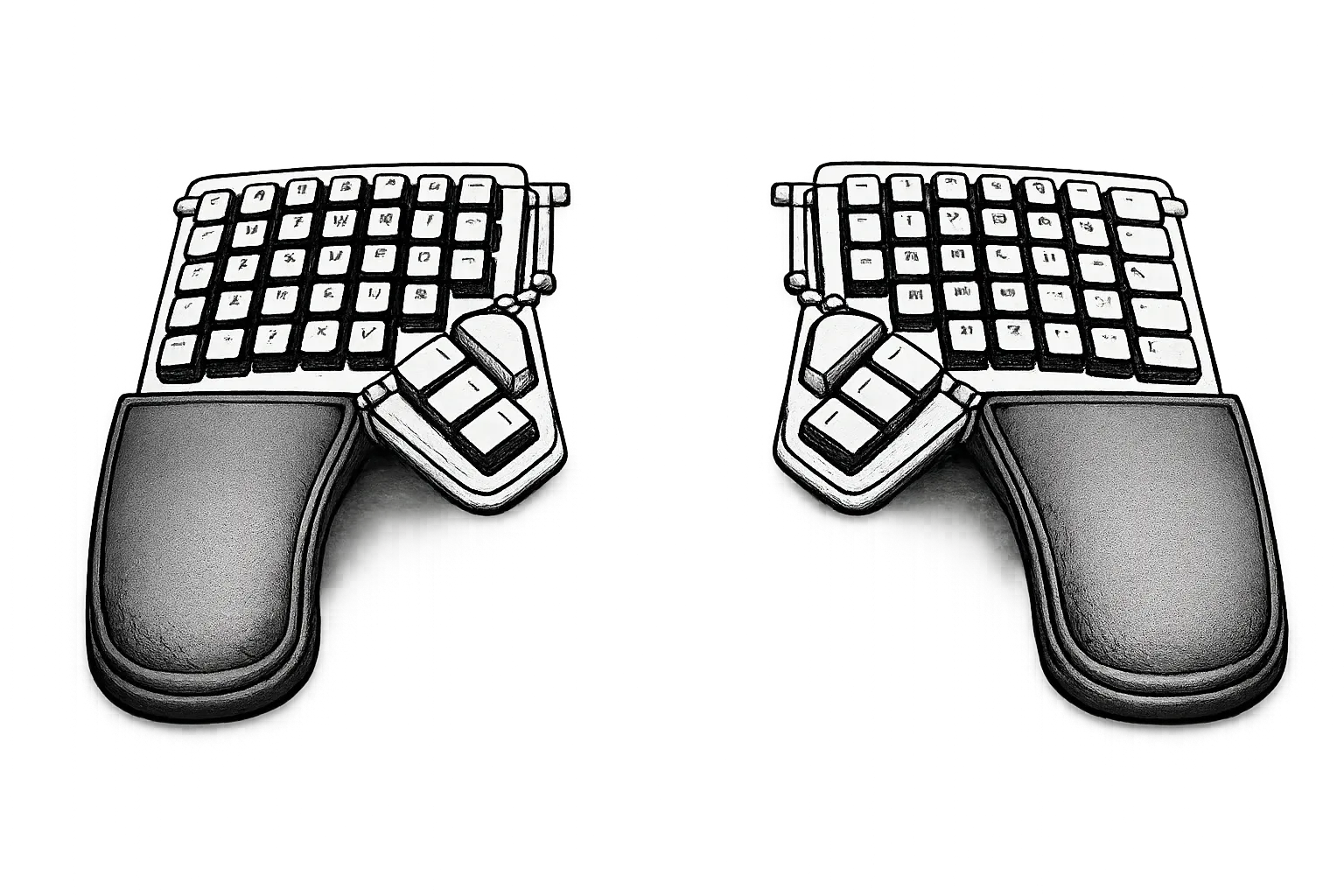
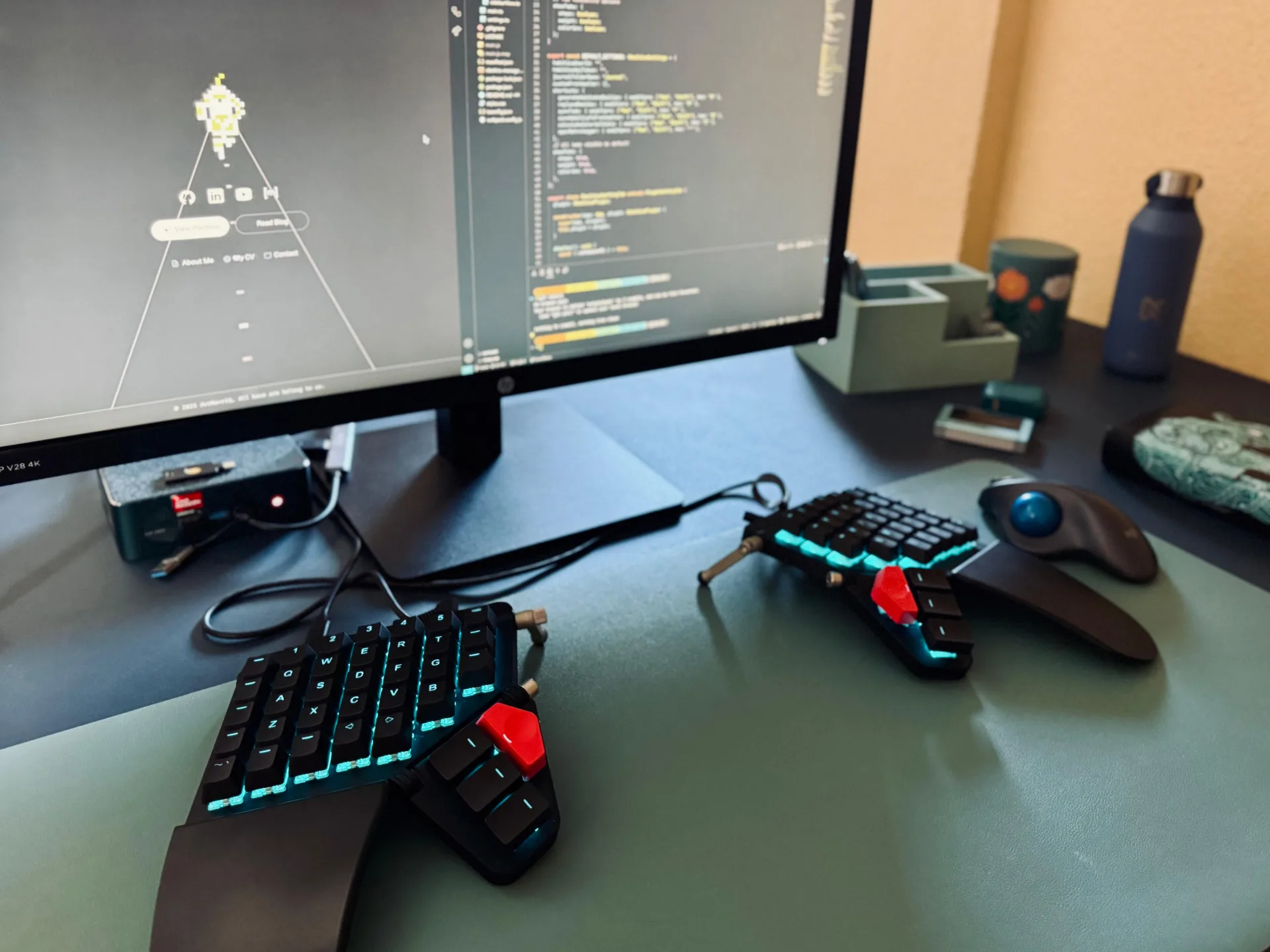
When I moved, I rebuilt the setup deliberately. A Beelink SER6 Pro mini-PC (the teal 6800H, specced to 32 GB RAM and 1 TB SSD) replaced my old desktop tower, mostly as a boundary: I did not want a laptop as my main machine. Laptops are available everywhere, which is exactly the problem. A desktop forces a small amount of honesty about when you are at the computer and when you are not. Around the same time I bought a ZSA Moonlander Mark I, a 400 euro split keyboard, to make the hours inside that boundary cost less.
Why a split keyboard helps
A normal keyboard asks both hands to meet in the middle. For many people that means the wrists angle outward, the forearms rotate palm-down, and the shoulders subtly collapse forward. You can survive this. I did, for decades. Survival is not the same as a good design.
Split keyboards attack the problem by letting the halves move toward the hands instead of forcing the hands toward the board. Put the halves shoulder-width apart and angle them with your forearms, and the wrists can sit closer to neutral. Add tenting, where the inner edge of each half rises so the hands are less palm-down and more handshake-like, and you reduce forearm pronation too.
This is not just keyboard folklore. A study of alternative QWERTY keyboards found that correctly configured split keyboards reduced wrist ulnar deviation toward neutral, and vertically inclined halves reduced forearm pronation compared with a conventional keyboard.4 Even the EU’s fairly old display-screen directive gets the basic keyboard point right: the keyboard should be separate from the screen and tiltable, with enough space in front of it to support the hands and arms.5
The Moonlander is not magic. No keyboard is. What it does well is make adjustment possible. The halves separate. The thumb clusters move. The firmware lets you move frequent keys closer to where your fingers already are. The optional Platform adds more serious tenting, using a locking slider with angle markings so both halves can be set consistently.6
The ergonomic value is not that the object looks like a spaceship. It is that it stops treating the body as the thing that should adapt first.
ZSA, Oryx, and the rabbit hole
The hardware was what I expected. The surprise was the correspondence. I emailed ZSA and ended up in long, slightly meandering conversations with Erez Zukerman, their CEO and co-founder. Interviews with him make the experience make sense: ZSA is a bootstrapped small business where Erez still spends hours in the inbox and nearly half the company is support staff.7 The ambition is less “buy our keyboard and ascend” and more “buy this expensive, weird tool, then we will help you actually live with it.”
I struggled in the beginning. My old WPM on rectangular boards was built on muscle memory rather than principled touch-typing, and the Moonlander made that debt visible fast. The fix that worked for me, embarrassingly, was The Typing of the Dead, Sega’s typing-tutor reskin of their light-gun zombie shooter, where you kill the undead by typing words at them.8 Crude pedagogy, perfect emotional feedback loop. Miss a key, a zombie keeps coming. Hit it, the problem explodes.
The other half of living with the Moonlander is Oryx, ZSA’s browser-based configurator. You click a key, change what it does, compile the firmware, and flash it to the board. The layout then lives on the keyboard itself, not in a background app.9 Oryx supports dual-function keys, macros, and up to 32 layers.10
Layers are the conceptual unlock. The base layer is your normal keyboard. A symbol layer might put brackets, parentheses, slashes, arrows, and navigation under your home row. A numbers layer turns one side into a numpad. You hold or tap a layer key, the keyboard becomes something else for a moment, and then it goes back.11 The ergonomic point is obvious once it clicks: if a key is important and far away, move it closer. If reaching for the arrow keys pulls your hand out of position five hundred times a day, stop reaching.
There is a learning curve. The first days feel like being demoted by your own fingers, and a Swedish layout adds a small extra fight to get å, ä, ö behaving across Oryx and the OS.12 The sensible way in is to clone someone else’s layout from the community,13 change the painful parts, use it for a week, then change it again. The first mistake is trying to design the perfect keyboard in one heroic evening. The second is assuming the stock layout failed because you failed.
The mouse
The pointing device gets less attention than the keyboard in ergonomic conversations, which is strange, because the mouse is where most of the unnecessary reaching happens. A regular mouse asks the whole arm to slide. Repeat that a few hundred thousand times and the shoulder eventually sends a memo.
As a general philosophy I try to keep computing as keyboard-centric as I get away with: shortcuts over menus, terminal over file manager, tiling window manager over mouse-driven desktop. The hand that never leaves the home row is a hand that is not reaching for a pointing device in the first place. That whole layer deserves its own post, so I will leave it alone here.
I have settled on a Logitech M575S trackball. It sits still. The hand sits still. The thumb does the moving. The thumb-ball question is the one people ask first: why the thumb, not the index or middle finger as on a Kensington-style centered trackball? The honest answer is that the thumb is already idle on a normal mouse, and letting it drive the cursor frees the precision fingers to keep doing what they are good at, which is clicking and scrolling.
The M575S is unglamorous in a way I appreciate. No RGB, no software required, pairs over Bluetooth or via a tiny USB dongle, and the single AA battery inside it lasts well over a year of daily use.[^logi-m575s]
I sin occasionally. For long sessions in GIMP, where pixel-accurate selection and brushwork matter more than shoulder peace, I switch to an Arrogant Bastard Halo. Same for evenings where friends ask me to join some rounds of Verdun or Beyond All Reason. The trackball really gets the job done for most use-cases, and some crazy people even game and draw with them. I’m not one of those people.
The desk
When we settled into the apartment in Portugal, I bought an IKEA Bekant in dark blue. It is an adjustable sit-stand desk, which is the only feature on the spec sheet that actually matters.
Desk height is the most underrated variable in office ergonomics. Too high and the shoulders shrug all day. Too low and the wrists bend up to reach the keys. A desk that is the wrong height for the chair, or a chair that is the wrong height for the person, will quietly undo every other adjustment you have made. The Bekant moves between roughly 65 and 125 cm, which covers both a seated posture for someone my size and a comfortable standing posture without the keyboard floating somewhere around sternum height.14
I do not stand all day. Nobody should. The point of a sit-stand desk is not to convert sitting into standing. It is to make changing posture cheap. EU-OSHA’s guidance keeps coming back to the same idea: the problem is static posture more than any specific posture, and the cheapest intervention is the one that lets you change positions without renegotiating the entire workstation.3
Some days I stand for the first hour, sit for the long middle, stand again when a meeting starts to feel like a hostage situation. The desk does not care. That is its job.
The chair
The chair was harder. Finding a decent office chair around Cascais in the price range of someone who would rather not spend a thousand euros to sit down turned out to be a small odyssey. Most of what is on offer locally is either tired hotel-conference surplus or the entire genre of “gaming chair”, and I have grown extremely tired of paying a thirty to fifty percent markup for RGB strips and stitched-in racing patterns that have nothing to do with sitting.
I ended up at JYSK with a Kastbjerg. Black faux leather, integrated lumbar and neck support, a tilt mechanism, height adjustment, and no obnoxious gaming aesthetic.15 The non-negotiable feature was the armrests folding all the way up, because I practice bass at the same desk and, well, can’t sit with my bass if there’s one in the way. As easy as that. It does the boring work an office chair is supposed to do: it lets the lower back rest against something, it lets the thighs sit parallel to the floor, it lets the elbows hang at roughly desk height, and it does not draw attention to itself. That last part is the feature.
The screen
My current monitor is an HP V28. A 28-inch 4K panel, serviceable, unfashionable, and exactly enough.
I bought it in early 2025, which felt like an odd moment to go 4K. The panels had been affordable for years, but the web had not really moved. Most sites still shipped images sized for 1080p, and even the generous layouts capped somewhere around 1280–1440 pixels wide. That is roughly half the width of the screen I was now staring at. At native 4K, a lot of the web looked like a paperback held at arm’s length: technically legible, visibly underfed.
The StatCounter numbers explain why. 3840×2160 has been stuck in the low single digits of desktop share for years.16 Product teams optimize for the bulk of their users, and the bulk of their users are not on this monitor.
That picture is changing. Modern CSS makes density-aware images and fluid type genuinely practical, and more sites are shipping layouts that scale past the old 1440 ceiling. It is no longer the case that a 4K monitor punishes you with blurry assets on half the web. Just most of the slightly older half.
For me the V28 does what I need. The pixel density is high enough that prose stays crisp at a comfortable reading distance, terminal windows hold more usable rows than my old 1440p panel ever did, and I can keep a browser and an editor open side by side without either one feeling cramped.
The remaining ergonomic complaint is height. The stand it ships with puts the top of the panel a touch lower than ideal for my seated posture, which means a small but persistent chin-down angle that I would rather not be cultivating. The fix is a monitor riser of some kind. I have been reading reviews. I will keep everyone updated in a future post.
I feel like it’s only now that I’m giving it the attention it deserves, long after I started working professionally. Now is the second best time to start, and all that. I hope by sharing a little bit of my journey and set-up that I inspire discussion and decisions that favor ergonomics for general computing needs but especially for IT desk workers.
Until you read again, have a lovely day!
Footnotes
-
World Health Organization. Musculoskeletal health. WHO cites approximately 1.71 billion people globally living with musculoskeletal conditions. ↩
-
Muralidharan, V. et al. (2025). Exploring musculoskeletal disorders and ergonomic challenges among software professionals: A cross sectional study. The study reported 72% twelve-month MSD prevalence among 200 software professionals, with lower back and neck most affected. ↩
-
EU-OSHA. What is the issue?. EU-OSHA cites MSD complaints from about three in five EU workers and identifies repetitive hand or arm movements, prolonged sitting, and tiring or painful positions as common risk factors. ↩ ↩2
-
Marklin, R. W., Simoneau, G. G., & Monroe, J. F. (1997). The Effect of Split and Vertically-Inclined Computer Keyboards on Wrist and Forearm Posture. The study measured wrist and forearm posture across alternative QWERTY keyboard designs. ↩
-
EU-OSHA. Directive 90/270/EEC - display screen equipment, and EUR-Lex Directive 90/270/EEC. The directive covers workstation assessment, breaks or changes of activity, screen adjustability, keyboard separation/tilt, desk space, chairs, lighting, glare, and the immediate work environment. ↩
-
ZSA. The Platform. ZSA’s tenting platform uses a locking slider with ten-degree markings for repeatable tenting angles. ↩
-
Bruce Byfield. ZSA’s Erez Zuckerman Talks About Ergonomic Keyboards. FOSS Force, February 13, 2025. Zukerman discusses ZSA’s direct-sales model, customer relationships, and the amount of time he personally spends in the inbox. ↩
-
MobyGames. The Typing of the Dead. Sega’s typing-trainer version of The House of the Dead 2, released for arcade, Dreamcast, and Windows. ↩
-
ZSA. Moonlander. ZSA describes Oryx, remapping, QMK firmware, layers, and the keyboard’s onboard firmware model. ↩
-
ZSA. Oryx. Oryx supports visual remapping, dual-function keys, macros, lighting, advanced settings, community layout search, and up to 32 layers. ↩
-
Robin Leinonen. Layer Basics. ZSA, February 1, 2024. ↩
-
ZSA. Firmware Terms You Should Know. The international-options section explains how language-specific keycodes interact with OS keyboard layouts. ↩
-
ZSA. People. Not Keyboards and the Moonlander page’s community-layout notes show how much user layout sharing surrounds the boards. ↩
-
IKEA. BEKANT in a home office gallery. Electrically height-adjustable sit/stand desk with a working range of roughly 65–125 cm. The dark-blue colorway I own appears to no longer be in current stock. ↩
-
JYSK. Office chair KASTBJERG black faux leather. Dimensions W68 × H114–124 × D77 cm, weight capacity 110 kg, height-adjustable seat, tilt mechanism, flip-up armrests, integrated lumbar and neck support, casters with pressure-sensitive auto-brake. ↩
-
StatCounter GlobalStats. Desktop Screen Resolution Stats Worldwide. 3840×2160 has hovered in the low single-digit percentages of global desktop share through 2023–2025. ↩